 Setumi

Time left in view,
phone in pocket
Set your work, rest and rounds, then start with one tap. Presets for Tabata, HIIT, EMOM and boxing are built in.


No sign-up. Open it and go.

Start with one tap
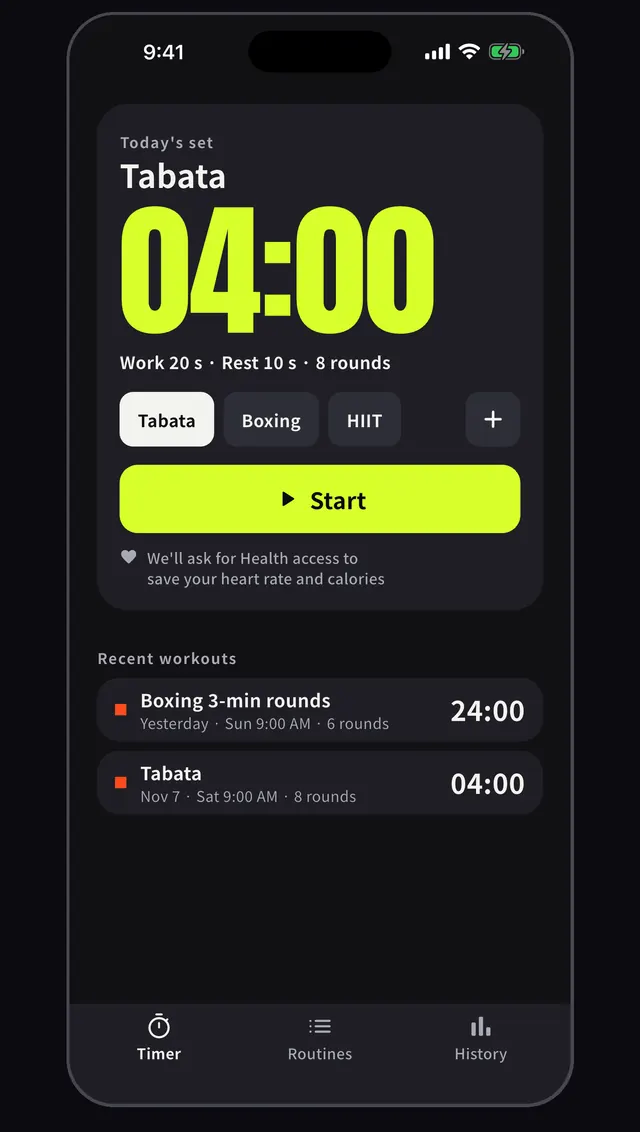
Pick today's set from Tabata, boxing or HIIT and press start. The setup, such as 20 s work, 10 s rest and 8 rounds, is clear at a glance.
What it does
 01
Start with one tap
Pick today's set from Tabata, boxing or HIIT and press start. The setup, such as 20 s work, 10 s rest and 8 rounds, is clear at a glance.
 02
Big numbers, easy to read
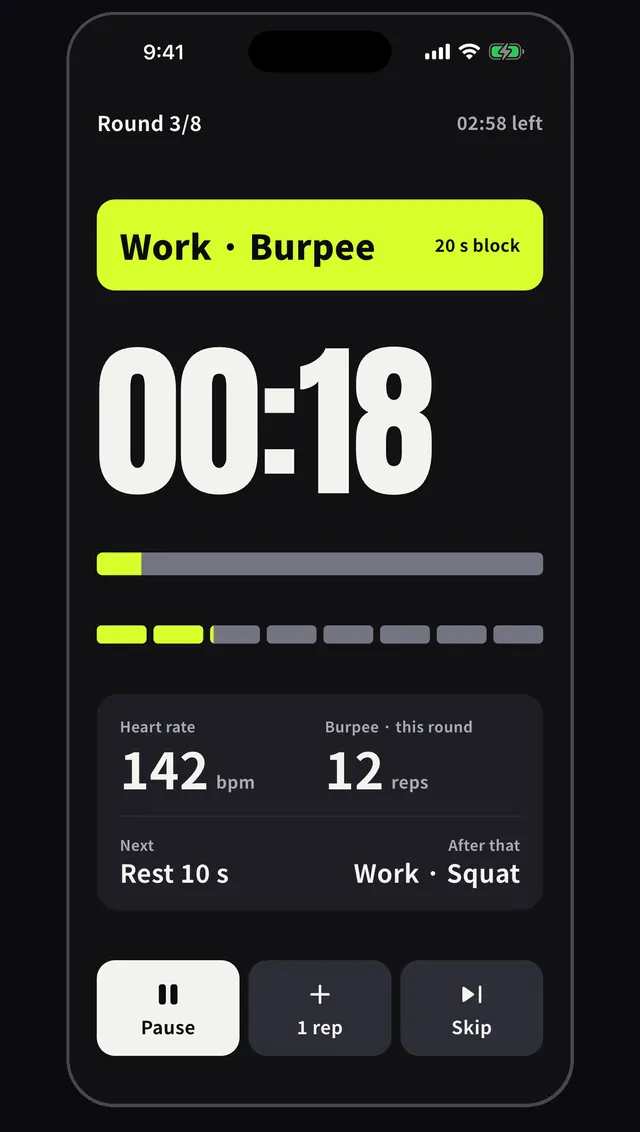
Round, interval and time left appear in large digits, with the next interval and reps per round on the same screen. With an Apple Watch, heart rate shows too.
 03
Rest announces itself by color
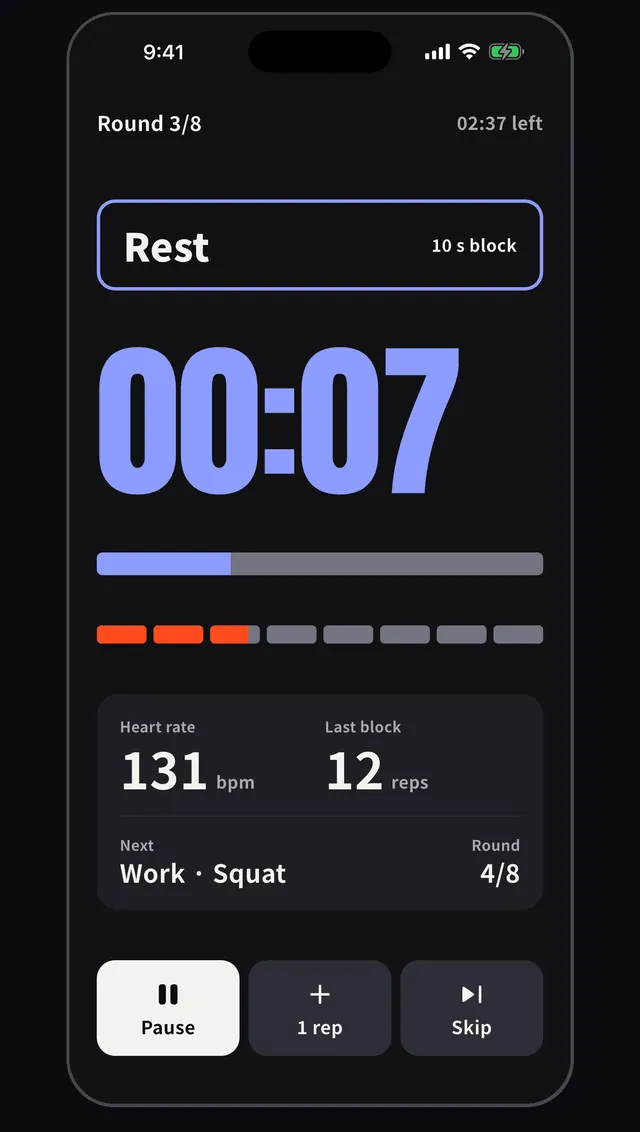
Work intervals are lime green and rest intervals turn blue. You can tell whether it is time to rest without staring at the screen.
 04
On your wrist, and when locked
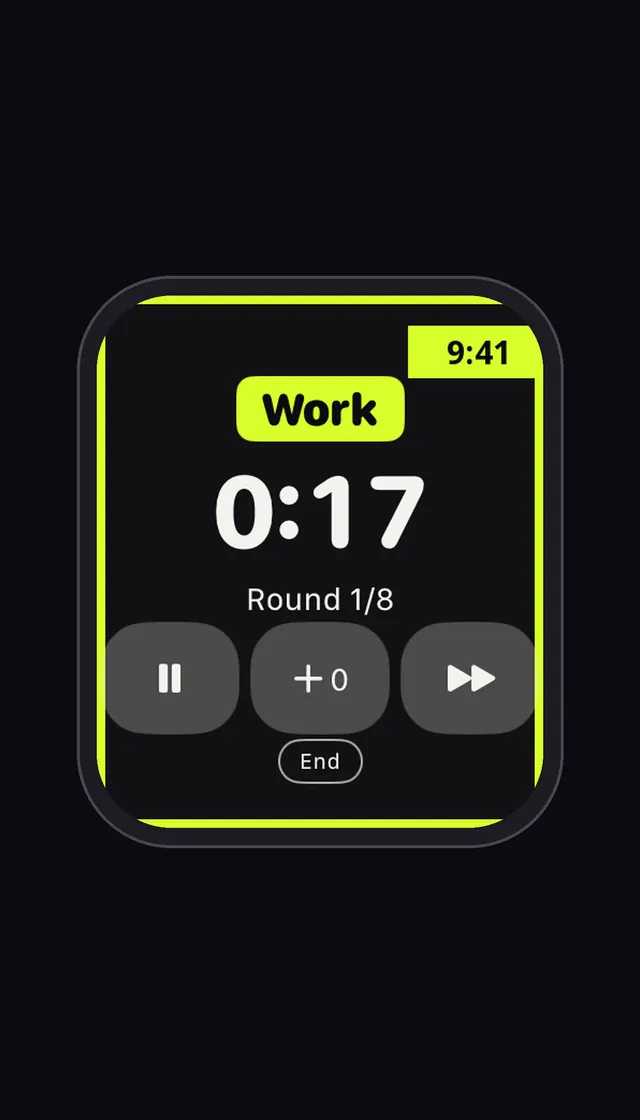
On a paired Apple Watch see the round, time left and heart rate, and pause or skip. With the iPhone locked, time stays on the lock screen and Dynamic Island.
 05
Build your own routine
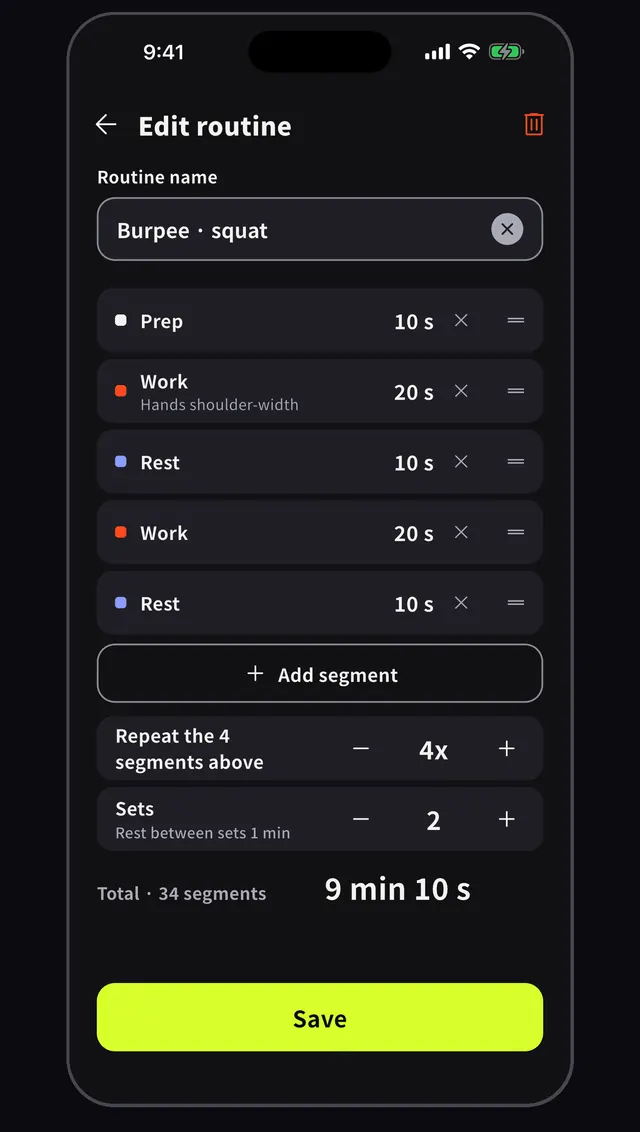
Stack prep, work and rest intervals and set their lengths. Choose the repeats, sets and rest between sets, then save the routine for next time.
 06
A summary when you finish
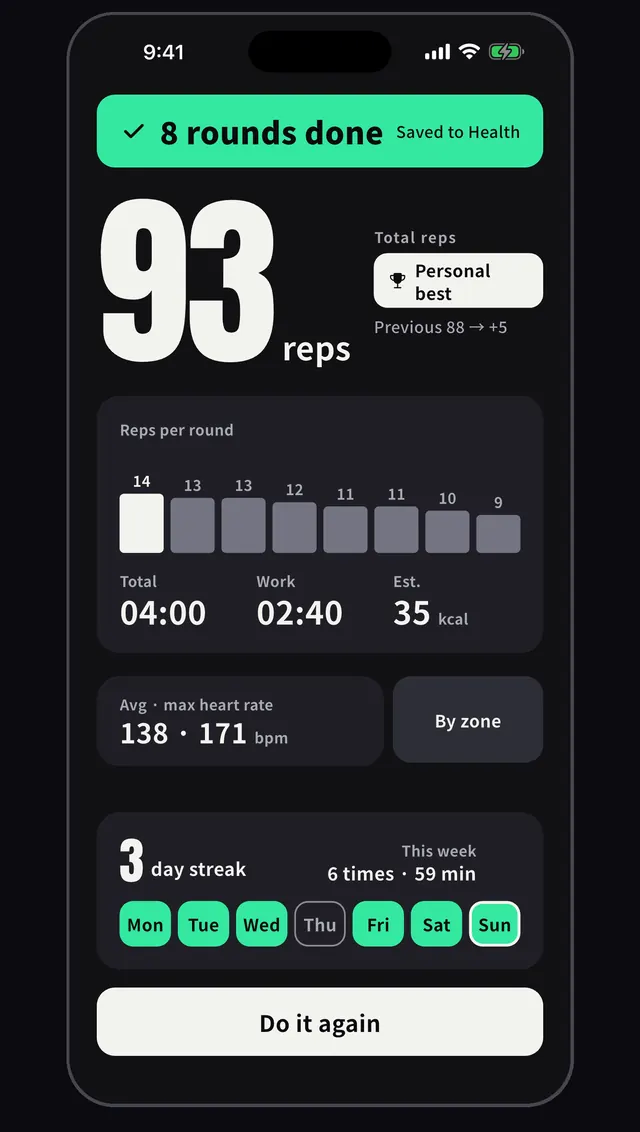
After 8 rounds you get total reps, reps per round, average and peak heart rate, and estimated calories. On iPhone you can save it to the Health app.


What Pro adds
With Pro the ads go away and you can save as many routines as you like. Full-range history and stats, export, voice packs and widget themes are included.
- No ads
- Unlimited saved routines
- Full history, stats and export
- Voice packs and widget themes
- Per-round heart zones (Apple Watch)
How it works
- 1
Pick a routine
Choose a Tabata, boxing or HIIT preset, or set work, rest and rounds yourself.
- 2
Press start
One tap begins. When the interval changes, color and sound tell you.
- 3
Check the result
See your reps per round and history. On iPhone it can be saved to Health.
FAQ
Do I need an account?
The app has no sign-up or login screen. Install it, open it and start.
Can I use it while playing music?
Yes. In Settings, under sound effects, voice cues and music mixing, you can have the cues play over your own music.
Do cues sound in silent mode?
Yes, if you turn on the cue sound in silent mode option in Settings. With it off, the app follows the silent switch, and cues may not sound on the lock screen.
Does it work on Apple Watch?
On an Apple Watch paired with your iPhone you can pick a routine and see the round, time left and heart rate. Apple Watch and saving to Health are iOS only.
Are the calories accurate?
They are estimates from weight, time and exercise intensity (MET), for reference only. The app is not a medical device. Stop if anything feels wrong.
Latest guides
- Tabata Workout: The Original 20 On, 10 Off, 8 Rounds
A Tabata workout is a 4-minute interval session: 20 seconds of work, 10 of rest, 8 times. See the original study and what to set when you start.
Next workout,
leave the phone alone
Set it up, press start, and train.